
Bee Happy Hives
Loading your dashboard…
A quiet spring so far. One hive wants a look. The rest are settled.
Four apiaries. Nine hives. One good summer so far.
across four apiaries
your apiaries appear here
Hive 4 · Belle seen, brood good
across four harvests
What's been done, written as it happened.
What it's doing where your hives are, right now.
Light cloud, gentle breeze
No rain forecast today
Mostly sunny, settled
Dry through Friday
Overcast, calm
Showers tonight
Breezy, cooler air
Dry but cool
Updated this morning. See the Weather tab for the week ahead →
What's flowering, what's flying, what the weather's doing.
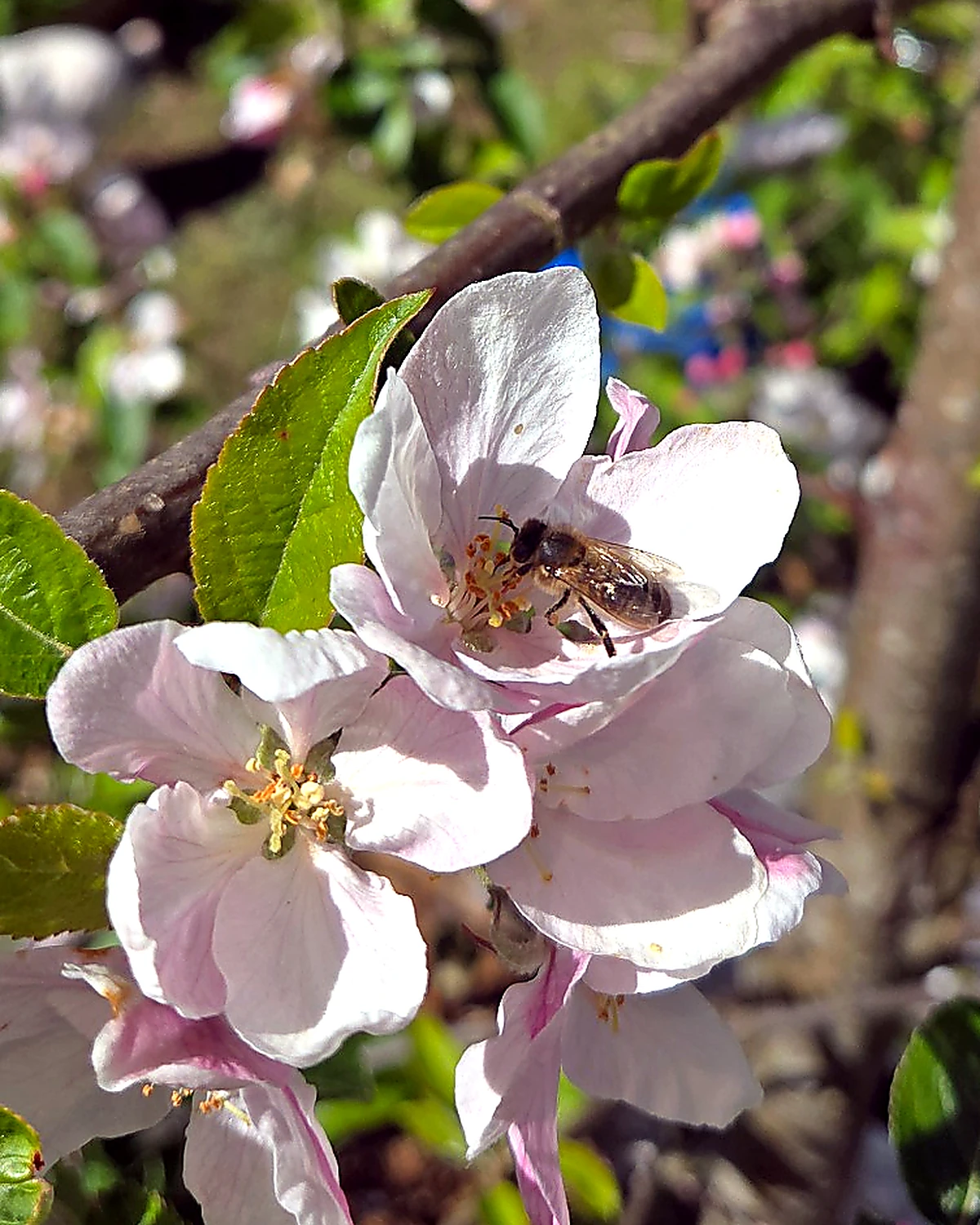
Bramble is just opening across the gardens, a week or so behind hawthorn. Hawthorn's been two weeks early this year. The forecast looks settled, 15 to 18 °C, dry into the weekend. A good time to make sure the supers are on and the strong colonies have room.
Every inspection, treatment and feed you've logged is kept quietly in the background. If a bee inspector ever asks, the PDF takes about ten seconds.
Export PDF →Always here, never in the way. Five years of records retained by default.
Today's diary. Tomorrow's reminders. What bloomed, what flew, what's next.
A line a day adds up to a year you can read back.
Loading what your colonies need this week…
Click any day to see what's there. Double-click to add something new.
Some events take weeks. A wizard chain plans the whole sequence.
What's happening now, what was happening a year ago, and the bit worth setting up once.

One line a day adds up to a year you can read back.
Something to do — it'll show up in your calendar.
Pick a template. The wizard adds the right tasks to your calendar on the right dates so nothing slips.
Today is the most common choice. Past 7 days allowed if you've already done step 1.
Queen records · family tree · breeding tools · beehappyhoney.uk
| Queen | Hive | Status | Mother | Origin | Strain | Actions |
|---|---|---|---|---|---|---|
| Sign in to see your queen records. | ||||||
Sensor-verified and DNA-verified certificate tiers will join when the hardware and lab partnerships are real — not before.
Every beekeeper gets full queen records and compliance, free forever. The paid tiers add breeder tools on top.
Paid tiers aren't on sale yet — everything you use today stays free. We'll let you know when Standard and Pro open.
How you keep bees, in your own words. Everything here shapes what the app shows you and when it gives you a nudge.
This is you, the beekeeper. It prints on your records and tells the app which regulator looks after your patch.
If you're a business customer, add a VAT or tax number here and it will print on your invoices.
Different strains have different flying weather windows. AMM (the native dark European bee) tolerates cooler and windier days than Italian bees. Pick your strain. The thresholds below update with sensible defaults you can override. These choices are the starting point for every new hive you add.
Defaults come from the strain you picked. Override any field if your bees behave differently, e.g. mountain AMM that fly in colder weather.
Climate, latitude, and your own micro-climate decide when each wizard fits. Tick the months that work for you.
Wizards stay clickable when they're "out of season", these settings just decide which group they sit in.
| Hive type | Warn at | Critical |
|---|---|---|
| National (cedar) | 5 kg stores | 3 kg |
| National (poly) | 5 kg stores | 3 kg |
| Langstroth | 6 kg stores | 4 kg |
| Nuc (5-frame) | 2 kg stores | 1 kg |
| Nuc (6-frame) | 2.5 kg stores | 1.5 kg |
Loading hives…
“Your hives are quiet. Settle in.”
See the full picture on Insights →| Hive | Location | Type & strain | Last inspection | Sensor | Status |
|---|
Where your hives live. Tap an apiary to edit it.
| Sensor | Status | Last reading | Battery | Signal | Action |
|---|
What the sensor measures every 15 minutes: total hive weight (kg) · internal temperature (°C) · humidity (%).
GPS: set once during install and locked. The sensor does not re-broadcast GPS — a beekeeper driving past won't move the hive on the map. To change a stored location, use the Update location control on the apiary itself.
Where to place it: The sensor sits under the entire hive on the stand. Not on the crown board — that moves every inspection. The solar panel clips to the side of the hive stand or a stake beside the hive. Never on the roof.
First-time calibration: Weigh your empty hive before adding bees. A cedar National is ~12.5 kg empty. A poly National is ~4 kg. If you don't calibrate, the system can't tell you how many kilos of stores are in there — it will suppress all stores alerts until you do.
Hub: One hub per apiary. Connects over mobile data. Mains-powered where possible; battery + optional solar otherwise. Hub transmits all sensor data to the cloud every 15 minutes.
Inspection log · treatments (VMR 2013) · feeding · harvests · varroa counts
| Loading… | ||||||||||||
|---|---|---|---|---|---|---|---|---|---|---|---|---|
| Sign in to load your inspection records. | ||||||||||||
| Date | Status | Hive(s) | Product | Supplier | Batch no. | Dose / method | Prescription / SQP | Withdrawal | Recorded by | Action |
|---|---|---|---|---|---|---|---|---|---|---|
| No treatment records logged yet. Records are kept for 5 years. VMR 2013 best practice. | ||||||||||
| Date raised | Hive | Apiary | Disease | Status | Outcome recorded | Confirmed by | Ref / contact | Notes |
|---|---|---|---|---|---|---|---|---|
| Sign in to load your disease event register. False alarms are kept too. They're part of the record. | ||||||||
| Date | Hive | Feed type | Amount | Reason | Fed by |
|---|---|---|---|---|---|
| Sign in to load your feeding records. | |||||
| Date | Hive | Honey kg | Moisture % | Fullness | Lot code | Stock (made · sold · remaining) |
|---|---|---|---|---|---|---|
| Sign in to load your harvest records. | ||||||
| Date | Hive | Method | Count | Infestation % | Action taken |
|---|---|---|---|---|---|
| No varroa counts logged yet. Use the + button to log your first count. | |||||
| Date moved | Hive | From apiary | To apiary | Reason | Notes |
|---|---|---|---|---|---|
| No hive movements recorded yet. Record a move on your phone: open the hive, tap the ⋯ menu, then "Move to another apiary". Each move lands here automatically. | |||||
Year-on-year bloom observations for your named places
Know the Asian hornet on sight, report it to the right people, and keep a record of what you see at your hives. The regional picture grows as more keepers join.
Live conditions, 16-day forecast, flying outlook, late-frost watch and 30 years of climate history for every apiary you keep.
Six plain-English questions answered from your records. Tap any number or hive name to drill back to the underlying entry.
What your beekeeping costs and earns, worked out from the records you already keep. You decide how the sums are done; nothing is decided for you.
Graft batches and mating nucs, recorded as you work them. The numbers show what you recorded, nothing is judged.
Whether you reared her yourself, bought her from a local breeder, or caught a swarm off a hedge.
Fill this in if she came with a certificate, has a DNA report, or crossed a border. If none of that applies to her, leave it blank.
Only if you've sold her or given her away. All optional — fill in what you have. Set her status above to Sold too so she moves to your archive.
Traits you've observed and any free-form notes. Most beekeepers add to this over the season, not on day one.
Loading platform statistics…
This is Backstage — the staff-only control room for Bee Happy Hives. Only super-admins can see it. Pick a section above. Ready sections let you change things; read-only sections are for looking; amber sections are screens whose database hasn't been built yet, so they explain what's needed next; anything illustrative in them is badged SAMPLE and is never real data.
Every account on the platform. Search by email or name, filter by tier or role, and page through, 50 at a time — the search runs in the database, so it scales to thousands. Press View on a row for the full picture of one person: account, plan, billing, feature switches and their recent audit history. You can change a person's tier (their plan, paid or granted) or role (what they can access); both ask for a reason, then a fresh password check, then save. A tier change can carry an optional expiry date — leave it blank and the grant is indefinite. An expired grant reads as Free and shows an expired badge here. Counts and billing are read-only.
| Name | Signed up | Last sign in | Apiaries | Hives | Inspections | Tier | Role | Tier source | Billing | ||
|---|---|---|---|---|---|---|---|---|---|---|---|
| Loading users… | |||||||||||
Codes you can give people to unlock a tier (for example a club offer or a press freebie). The list below is read-only. Generate creates a real code straight away, so check the tier and number of uses before you press it.
| Code | Tier | Duration | Used | Intended for | Created | Expires |
|---|---|---|---|---|---|---|
| Open this section to load codes. | ||||||
The full feature catalogue grouped by area. Each row shows its code, target tier, web / phone status, and marketing state. Working On/Off toggles appear only for features fully wired to the live runtime today — the status line above the grid counts them live from the catalogue, so the number here is never stale. Other built-but-not-wired rows render with a "Not wired" badge so the catalogue is honest. Statutory and Protected core features never get a switch — they show a "Not switchable" badge instead. Planned and blocked rows stay out of the switch grid; every one of them is listed in the Still to build section below, grouped by tier, with what each gated row is waiting on. Every flip is audited with your reason. Lifetime users see whatever Commercial sees.
| Code | Feature | Tier | Web | Phone | Marketing | Status / Toggle |
|---|---|---|---|---|---|---|
| Open this section to load your features. | ||||||
The platform lists the app ships with — beekeeping associations (clubs) first; medicines, visit types, catalogue and event templates follow. You can add, edit and archive here, and every change is recorded in the audit log with your reason. These lists feed the live app, so archiving keeps the record (recoverable) — nothing is hard-deleted. This is not a fault list (that’s Diagnostics) — it is the data itself.
| Short name | Name | Region | Country | Status | |
|---|---|---|---|---|---|
| Open this section to load. | |||||
Add a medicine, edit it, or switch it on/off. A medicine that is on shows to beekeepers in the treatment screen; switch it off to retire it — it stays on record (recoverable) and past treatments that used it are never broken. Where allowed: tick the countries a product is authorised in and the treatment screen only offers it there; leave all unticked and it shows everywhere (how every existing row behaves).
| Product | Active ingredient | Withdrawal | Supers off? | Where | Status | |
|---|---|---|---|---|---|---|
| Open this section to load. | ||||||
A plain-English health check of the whole platform, in five parts: System Health, Volume Watch, Data Health, Reference Data and Admin Safety. Every check says what it is, what it found, and what to do about it. The rule for this page: everything here either has a button that does something, or tells you exactly what to do next. If something looks wrong and you want help, press Copy report and paste it to Claude in your build chat: one click gives the builder everything on this page.
Are the three services the app stands on answering right now? Each card runs a real live check from your browser and has its own Check again button. A green card means “answering”, not “everything is perfect”: the server’s own error logs can’t be read from here yet, and that card says so honestly.
How big the platform is and how fast it’s growing. Sizes are judged against the current plan (the Supabase free plan: 500 MB of database, 1 GB of file storage) and a card turns amber once 80% is used. When a size can’t be read it says so plainly; it never guesses a percentage.
Do the records themselves hang together: no broken links, no lost files, no records nobody can see. These are whole-platform counts and no beekeeper names are shown. Anything not “Clear” says how urgent it is and exactly what to do about it.
The shared lists the app ships with: clubs, medicines, catalogue and templates. This is a presence check, not a fault list; the adding and editing happens in the Reference Data section, and the buttons below take you straight there.
| Short name | Name | Region | Country |
|---|---|---|---|
| Open this section to load. | |||
Who changed what, and where the audit trail has gaps. The counts are live; the coverage card is a known fact about what’s wired, not a live measurement.
Audited (recorded with a reason): tier changes, platform-role changes, redemption-code creation, feature-switch updates, and integration-setting changes.
Unaudited admin areas (known gaps, a named list, not a live count):
What to do about the gaps: nothing from here; they are build jobs, already known. If you need the evidence, press Copy report at the top.
Recent user-consent changes (the consent compliance trail):
| When | User | Type | Action | Version |
|---|---|---|---|---|
| Open this section to load. | ||||
This is where the outside services the app depends on (payments, email, AI, your own webhooks) are connected, tested and disconnected without touching code. Every card either acts or tells you exactly what to do next. Keys are write-only: you paste a key once, the server locks it in the vault, immediately tests it against the real provider, and the key can never be viewed again — only replaced or deleted. A badge only turns green when a real call to the provider succeeded.
Connects any service that can receive a web request. Testing pings your URL with a signed test message: the X-BHH-Signature header is an HMAC-SHA256 of the body, made with this secret, so your service can verify the ping really came from here.
Copy this secret to the service that will receive the pings now. After you press Save it is sent once over a secure connection, locked in the server vault, and can never be viewed again — only replaced.
The badge is verified health: green shows only where a real live call proved it — the Supabase cards by the page itself answering, the keyed services (Stripe, email, AI, webhooks) by a real test call to the provider from the server. Operator intent (in use / planned) is your plan for a service, shown separately — it never turns a badge green.
Connect stores a key in the server vault and tests it at once; Test now re-runs the real provider call; Disconnect deletes the key. Manage edits intent, mode, on/off and notes (with a reason, never secrets) — it can never set a badge green by hand. Every action lands in the Audit Log.
The AI features (photograph a paper record, voice notes, receipt reading, plant ID) all go through one server with a hard spend cap. Right now they run in mock mode: sample drafts only, no real calls, nothing spent. Real paid drafting stays OFF until you turn it on here, and even then it is capped per month. Every change needs a reason and lands in the Audit Log.
Stripe presence is read from profiles (no secret read); storage is read straight from the buckets. Test/live mode is whatever the operator set — the app can't read the Stripe secret to confirm it.
integrations-admin server function. This page records that a key is present (last 4 characters), when it was added, and the honest result of the last real test — never the value.integration_settings, edited via Manage (audited) — no code change, no redeploy.Real key lifecycle shipped 2026-07-02 (dev). Migration: supabase/migrations/2026-07-02-integrations-real.sql; function: supabase/functions/integrations-admin/index.ts.
The per-country and per-region beekeeping rules the app relies on — who the regulator is, which diseases are notifiable, and the treatment-record wording. Read live from the jurisdictions table (super-admins only) and editable here without code: every save needs a reason and is recorded in the Audit Log, and editing a published jurisdiction drops it back to draft so changed legal wording never goes live silently — you re-publish it deliberately. One honest caveat: the beekeeper app still uses its built-in copy of these rules; the cut-over to reading published rows (with the built-in copy kept as fallback) is the next increment, so edits here don’t change the app yet.
Add a country or region that is not in the list yet. It is created as a draft and is never published on create: fill in its regulator, notifiable diseases and record rules on its card below, then publish it deliberately once you have checked an approved source. Both a reason and an approved-source note are required, and the create is written to the Audit Log.
Each card is one jurisdiction. Edit changes the four display fields and the source note; Publish / Unpublish moves it between draft and published. A Needs review badge means the source itself marks that jurisdiction’s notifiable-disease or medicine-record duty as unconfirmed — verify it before publishing. Legal and disease wording stays verbatim from an approved source.
Foundation shipped 2026-06-24; audited editor shipped 2026-07-02 (dev). Design: docs/plans/2026-06-18-backstage-jurisdiction-editor-implementation.md.
Change app wording here without code. Each line below is one piece of copy the web app shows: Edit saves your wording to the content_blocks store (a reason is required and every change lands in the Audit Log), and the app shows it after a refresh. Reset returns a line to its built-in wording. Only this safe, registered list is editable — feature logic, legal wording and safety copy are not editable from here. Mobile-app lines and the catalogue (plants, products, options) are the next increments.
The app’s reference catalogues (forage months, app flags and more) live in catalog_items. Here you can see every row and publish or unpublish it — only published rows are read by the app. Every change needs a reason and lands in the Audit Log. Editing a row’s structured content (plant lists, options) is a separate, later increment; the safe lever here is which rows are live.
Our own Tropilaelaps presence map, refreshed by hand from the official EU source (EURL Bee Health). Add or update one region at a time: pick where it stands, the date the figures were current, and an approved-source note. A new region is saved as a draft and only shows to keepers once you publish it. Every change needs a reason and lands in the Audit Log. Keepers are told plainly the map is refreshed by hand and may lag the official figures.
Our own AFB / EFB foulbrood map, refreshed by hand from the official figures (National Bee Unit / BeeBase for Great Britain, DAERA for Northern Ireland, DAFM for the Republic of Ireland). Add or update one region at a time: set where AFB and EFB stand, which period the figures cover, and an approved-source note. Foulbrood really does occur here, so nothing is seeded and “None recorded” means no cases were recorded in that period, not that an area is clear. A new region is saved as a draft and only shows to keepers once you publish it. Every change needs a reason and lands in the Audit Log.
The world Asian hornet map on the Threat Watch page. Add or update one country or area at a time: where it stands, its map position, the date you checked, an approved-source note, and (for a keeper’s home country) the official report address and map links. A new place is saved as a draft and only shows to keepers once you publish it. Every change needs a reason and lands in the Audit Log. Keepers are told the map is refreshed by hand and may lag.
catalog_items content editing (plant lists, options) — the publish / unpublish control shipped 2026-07-07 (dev); a typed field editor for each catalogue’s payload is the next step.Content store + audited copy editor shipped 2026-07-02 (dev); catalogue publish / unpublish shipped 2026-07-07 (dev).
Nothing on this page is real. The three charts below are a SAMPLE mock-up drawn from invented numbers, so we can agree what this page should look like before any real data is touched — no beekeeper's records have been read, aggregated or shown. The privacy gate stands: real user data is only aggregated once every row in the checklist underneath is done (consent wording, minimum group size, DPIA sign-off, then the aggregation build). The goal is unchanged — aggregated, identity-free data (disease events, plant flowering, treatment outcomes) that can help fund the free tier through research licences. Until the gates are passed, this page shows the invented SAMPLE preview and the checklist, and nothing else.
Invented picture of what this could show once live: the share of the month's inspections that noted any disease sign, peaking mid-summer.
Invented picture of what this could show once live: the first hawthorn flowering date reported each year, drifting earlier.
Bar length = days after 1 April. Invented dates.
Invented picture of what this could show once live: how autumn varroa treatments turned out, judged by the mite counts logged afterwards.
Four gates, in order. Each row says what it is, whose move it is, and what done looks like. No pill here turns green until the thing itself is actually done.
A permanent record of staff actions: who did what, to whom, what it was before, what it is now, why (the reason you typed), and when. Every Backstage change lands here: tiers, roles, codes, feature switches, reference data, country data, content, integrations, expired-grant sweeps and client plans. Filter by action, search the detail, and page through 50 at a time, newest first. Changes made before logging was switched on aren't listed (there's no truthful way to reconstruct them). This view is read-only; nothing here changes anything.
| When | Who | Action | Target | What changed | Reason |
|---|---|---|---|---|---|
| Open this section to load. | |||||
Bespoke plans for negotiated deals: a club discount, a commercial customer's special terms. A plan is a base tier plus overrides (turn one capability on or off just for this plan) and allowances (a number, like seats or quotas, where a capability is metered). A plan attaches to a customer's account, found by the owner's email. Only you can create or assign plans; every write asks for a reason and a fresh password check, and lands in the Audit Log. Removing a plan from an account puts it straight back on its normal tier.
| Plan | Key | Base tier | Overrides | Accounts on it | Created | |
|---|---|---|---|---|---|---|
| Open this section to load. | ||||||